


Weather: Live Forecast & Radar
4.464.00 Reviews
App Specs
- Version
- 1.7.0.0
- Updated On
- License
- Free
- Downloads
- 500,000+
- Developer
- JuXin Ltd
- Categories
- Weather
- Platform
- Android
Screenshots
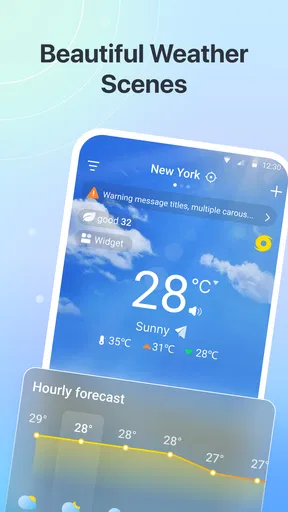
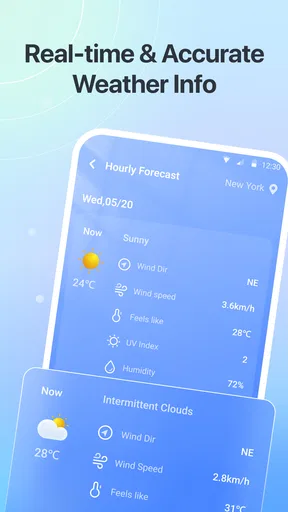
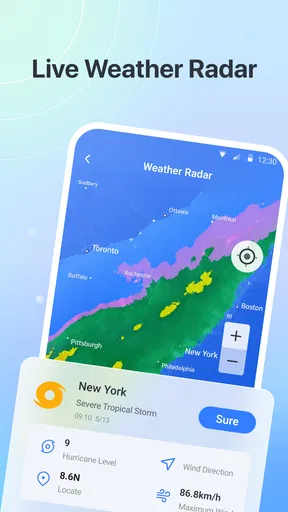
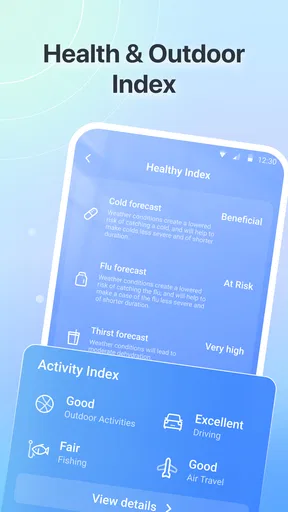
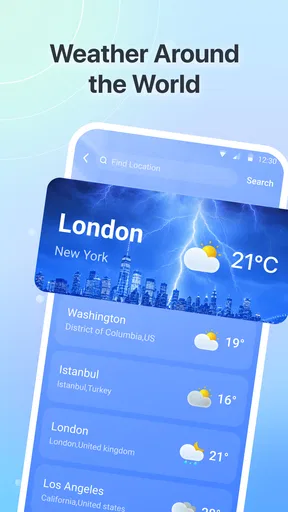
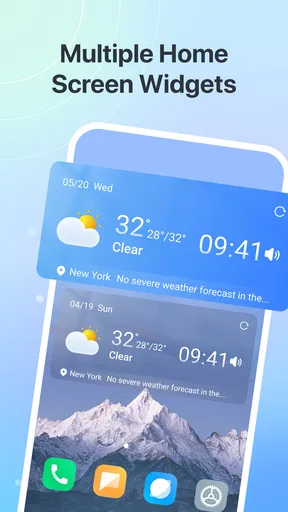
 Analysis by AppCompare
I treat a weather app as a small decision-making tool: it should help me decide whether to carry a jacket, change a departure time, or rethink an outdoor plan without turning a quick check into a project. Weather: Live Forecast & Radar is aimed at that everyday role, with a focus broad enough to suit both local routines and travel. My main takeaway is that it is worth considering if you want a straightforward forecast app, while anyone who depends on highly specialized weather analysis should be more cautious about making it their only source.
Choosing it for the way you plan
I find a general forecast most valuable when it helps me make a small decision early, not when I expect it to manage an entire day for me. If I am deciding whether to cycle to work, for instance, I would check the expected conditions before choosing what to wear and whether to leave extra time. If the weather looks unsettled, I can keep a backup option in mind rather than treating one forecast as a firm promise.
That makes this app a better fit for people who regularly make everyday plans around the weather than for someone who only checks the temperature once in a while. It may also suit a household where different people want a quick forecast before school, errands, or an outing. If you rarely need more than the glance already available on your phone, though, installing another app may add little value.
Quick checks, not a weather workstation
For ordinary use, speed is less about a dramatic animation or a particular loading time and more about whether I can get to a useful answer without repeatedly navigating menus. The app’s purpose is daily planning, travel, and outdoor decisions, so the most sensible way to use it is to check the conditions that matter for the next choice: what to wear, whether to leave earlier, or whether to keep a plan flexible.
I would approach Weather: Live Forecast & Radar as a companion for frequent, brief checks rather than a technical dashboard. That distinction matters. If I am stepping out for errands, I need a clear enough picture to make a practical call; I do not need to study every possible atmospheric detail. For a longer trip or an activity with a narrow weather window, I would spend more time checking the forecast and compare it with another trusted source before committing.
The app is a free weather app from JuXin Ltd. It has a 4.4 average from around 3,200 ratings and over 500,000 installs, which suggests that it has found an audience among people looking for an accessible forecast tool. Those figures are useful context, but they do not tell me how it will behave on every phone or in every region. I would judge it by whether it makes my own routine easier after a few days of use.
Where a quick forecast earns its place
A useful habit is to check the forecast at the moment a decision is still easy to change. For example, if I am planning a walk after work, I would look before leaving home rather than waiting until I am already on the route. If the outlook seems uncertain, I can choose a shorter loop or take a light layer. That is a more realistic use of a general weather app than expecting it to make the decision for me.
Worth Reading Before You Choose

Flipboard Shows What News Apps Must Do Beyond the Feed

Switching to Android Auto Means Rethinking Your Driving Routine

Google Calendar Makes a Crowded Week Easier to Manage

Ludo King Makes the Most of the Minutes Between Plans

Baby Panda World Brings Quick Play to Modern Phones, but Its Game Library Feels Busy

ESPN’s Live Game View Makes Following Close Games Easier
For travel, I would use it as a planning prompt: check the destination before packing, then check again near departure. A forecast that is convenient to consult can help me remember that conditions at home and at my destination may call for different clothes. I would still use a more specialized source for safety-critical outdoor activities, because a broad daily forecast is not a substitute for detailed local guidance.
Making a useful check part of a busy day
One practical way to avoid overchecking is to tie a weather check to a decision you already make. I might look while choosing clothes in the morning, then take another look before leaving for an outdoor commitment. That gives me a chance to adjust without turning every change in the sky into a reason to reopen the app. It is particularly useful when a plan has a flexible start time: checking before I set off leaves room to shift it.
If I am travelling between places, I would think about the destination as well as the starting point. A reassuring forecast at home does not answer what to pack for somewhere else. I would use the app to prompt that comparison, then keep a layer or an indoor alternative in mind if the day’s plans depend on staying outdoors. This is a simple workflow, but it is more helpful than relying on memory or checking only after I have arrived.
What changes when you check it repeatedly
Most weather apps feel light when opened for a quick glance, but repeated use can expose small points of friction: having to find the right place again, waiting for information to refresh, or being unsure whether an outlook has changed. I would test the app during the parts of my day when I naturally check the weather—before getting dressed, before a commute, and before an evening plan—rather than judging it from a single launch.
A practical workflow is to separate routine checks from important decisions. For an ordinary commute, a brief glance may be enough. For a day trip, check both the departure area and destination, and revisit the forecast closer to leaving. This reduces the risk of treating an earlier prediction as fixed. Weather changes, and even a smooth app cannot remove that uncertainty.
On a busy day, frequent checking can also become more distracting than helpful. I would avoid reopening any forecast app every few minutes unless a plan genuinely depends on changing conditions. One check when making the plan and another before setting out is often a better balance. The benefit here is not simply having weather information available; it is using it at the right moment.
Reliability means knowing when to double-check
I do not treat a weather forecast as a promise. A useful app supports decisions, but conditions can shift, and forecasts are less dependable when the question is very specific: exactly when a shower will begin on one street, or whether a narrow outdoor event will stay dry for its full duration. For those situations, I would look for a second source or local alerts rather than assuming one screen settles the matter.
That caution is especially important when the consequences are more than mild inconvenience. If I were planning a hike, boating outing, or other activity where rapidly changing conditions could matter, I would consult relevant official guidance and not rely on a general-purpose app alone. For everyday decisions—an umbrella, a coat, or whether to move a casual walk—this kind of forecast app is a more natural fit.
To assess reliability in my own routine, I would compare what the app suggested with what I actually experienced over several days, paying attention to the kinds of forecasts I use most. I would also note whether it is easy to return to the same location and whether updates are available when I need them. Those checks are more useful than expecting a forecast to be perfectly accurate every time.
Device fit and expectations
The current version is 1.7.0.0, and the stated minimum operating-system requirement is version 9. The app is rated for Everyone, so it is positioned as a general audience tool rather than something intended only for a specialist group. If your phone meets the operating-system requirement, that gives you a basic compatibility check, though it does not guarantee identical speed or battery use across different devices.
I would be careful about making firm claims about resource demands without testing the app on a particular phone. A weather app may feel effortless on a newer device and less so on an older one, especially when the connection is weak or the device is already under load. If performance matters to you, try it during your normal routine and notice whether opening it interrupts other tasks or whether you find yourself waiting longer than you are willing to.
Network quality is another part of the experience that can be easy to mistake for app speed. When travelling, a slow connection can make any forecast service feel sluggish. I would check the information before leaving reliable coverage if I needed it for a route or an outdoor plan, then avoid assuming that a fresh update will always be available at the exact moment I want one.
For an older phone, I would keep expectations practical: test the app rather than assuming that a newer version number means it will be demanding or, conversely, that it will run effortlessly. If the app feels slow on your device, a simpler built-in weather option may be more convenient for basic checks. The better choice is the one that gets you a usable answer with the least friction on the phone you actually own.
Who will appreciate it—and who may want another tool
I can see this app fitting people who want one place to check weather before everyday plans, commuters who make quick clothing or timing decisions, and travellers who like to review conditions at more than one point in a journey. Its free price makes it easy to try without committing to a purchase, and the broad Everyone age rating suits households looking for a general weather option.
I would not make it my sole tool if I needed highly detailed meteorological information, specialized warnings, or dependable decision support for a risky outdoor activity. In those cases, a dedicated service or official source is the better companion. Likewise, someone who only wants a bare-bones temperature glance may prefer the weather display already included with their phone, especially if opening a separate app feels like an unnecessary step.
The key trade-off is convenience versus depth. A general weather app can be useful because it is easy to return to throughout the day, but ease of access does not automatically make it the best source for every decision. I would keep the app for ordinary planning and reach for a more specialized alternative when the stakes or level of detail increase.
My performance verdict
Weather: Live Forecast & Radar makes the most sense as a practical part of a daily routine, not as a guarantee that the weather will behave as predicted. I would give it a fair trial across several typical days, including one busy morning and one plan that depends on conditions later on. That reveals more about its usefulness than a quick install followed by a single glance.
Its appeal is straightforward: it is free, aimed at common weather decisions, and has attracted a substantial user base, with a 4.4 average and 500,000-plus installs. JuXin Ltd has released version 1.7.0.0, and the app’s broad purpose makes it a reasonable candidate for people who want weather information close at hand. I would still judge its speed and stability on my own device, since network conditions and phone age can change how responsive any app feels.
My recommendation is measured rather than universal. Try it if you want an accessible forecast app for errands, commutes, travel preparation, and casual outdoor plans. Keep a second source in mind for uncertain or high-stakes conditions, and choose a simpler built-in option if all you need is a quick glance. Used with those expectations, it can help make everyday weather decisions easier without asking you to treat a forecast as certainty.
Pros
- Clear hourly and daily forecasts make it easy to plan ahead.
- Radar maps help you follow approaching rain and storms.
- Local weather details are available for saved locations.
- Severe weather alerts can help you prepare for changing conditions.
- Useful weather information is presented in an easy-to-scan format.
Cons
- Forecast accuracy can vary by location and weather conditions.
- Frequent alerts may feel distracting if notifications are enabled.
- Radar and forecast data may take time to load on a weak connection.
- Some features or details may require a paid subscription.
- Location access may be needed for convenient local forecasts.
FAQs for Weather: Live Forecast & Radar
What can I do with Weather: Live Forecast & Radar?
Weather: Live Forecast & Radar is designed to help you check current conditions and plan around upcoming weather. Depending on the features available in your version and location, it may provide local forecasts, hourly or multi-day outlooks, radar views, and alerts. Forecast coverage and detail can vary, so check that the app has permission to use your location or enter a city manually.
Does Weather: Live Forecast & Radar provide accurate forecasts and live radar?
The app presents weather information for your selected area, but no forecast is guaranteed to be perfectly accurate. Results depend on the data provider, your location, and how quickly conditions change. Radar imagery may also have delays or limited coverage in some regions. For severe weather or safety-critical decisions, compare the app’s information with official local meteorological and emergency-service updates.
Does the app need access to my location?
Location access can let Weather: Live Forecast & Radar show conditions for where you are without requiring you to search for a city each time. You may be able to deny permission and add locations manually instead. If you enable location services, review your device’s permission settings and the app’s privacy information to understand how location data is collected, used, or shared.
Is Weather: Live Forecast & Radar free, and does it include ads or paid features?
Whether the app is free to download, contains advertisements, or offers subscriptions and in-app purchases can depend on the platform, region, and current version. Check its App Store or Google Play listing before installing, and review the purchase terms carefully. If you start a trial or subscription, note its renewal date and cancellation instructions to avoid unexpected charges.
Can I use Weather: Live Forecast & Radar without an internet connection?
Weather forecasts and radar generally require an internet connection because the app needs to retrieve updated data. Information already loaded may remain visible briefly, but it can become outdated, and radar or alerts may not refresh offline. For reliable access, connect before traveling and check the latest forecast in advance; do not depend on cached app data during emergencies.


